






Step 1: Choose Your Performance
Explore our program of music, theatre, film, and comedy. Click the What’s On button to view our calendar and select your event.
Step 2: Select Date and Time
Select the date and time of your chosen performance by clicking on the red button with the performances start time on, then you will be able to choose your seats.
If the date you want has sold out this will be indicated on the button with the phrase sold out. If you wish to join the waiting list click on the red button this will take you to our waiting list form where you can leave your details. Please make sure all your information is correct so that if a ticket does become available we can contact you as easily as possible.
Step 3: Seating Type – Allocated Seating
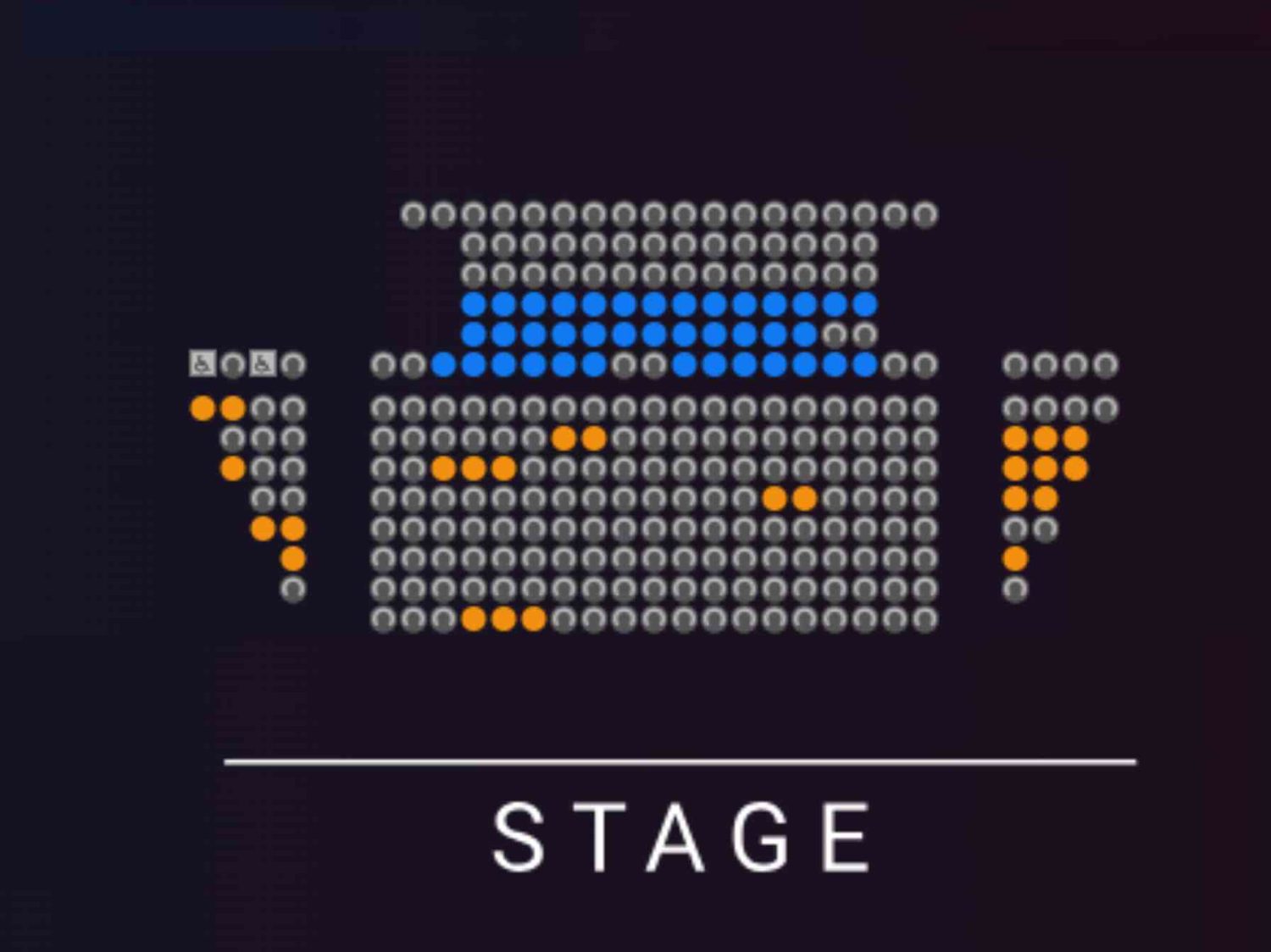
Choose between the Stalls or Balcony. Available seats are shown as empty circles—orange for stalls, blue for balcony.
Unallocated Seating
For certain performances, seating is unreserved. You will be guided to the best seat by our front-of-house team when doors open.
Step 4: Accessibility
Our 300-seat theatre is tiered like a cinema, with access to both the stalls and balcony. Entry is at Row J, with stairs leading to both levels.
For accessibility concerns, visit our Access Page (Click Here) or contact the box office at 020 8240 2399 (Mon-Thurs, 10am-5pm).
Step 5: Select Your Seats
After choosing your seating section, scroll down to select the number of tickets from the drop-down menu. You can also:
When you’re ready, click the Next button to proceed to the seating plan (for allocated seating performances).
Step 6: Seating Selection
A seating map will appear:
Select your seats, which will turn orange with a black figure inside. Continue selecting until you’ve chosen all your tickets. Then, scroll down and click Next. Your seats will be reserved for 20 minutes while you complete the booking.
Step 7: Add Another Show (Optional)
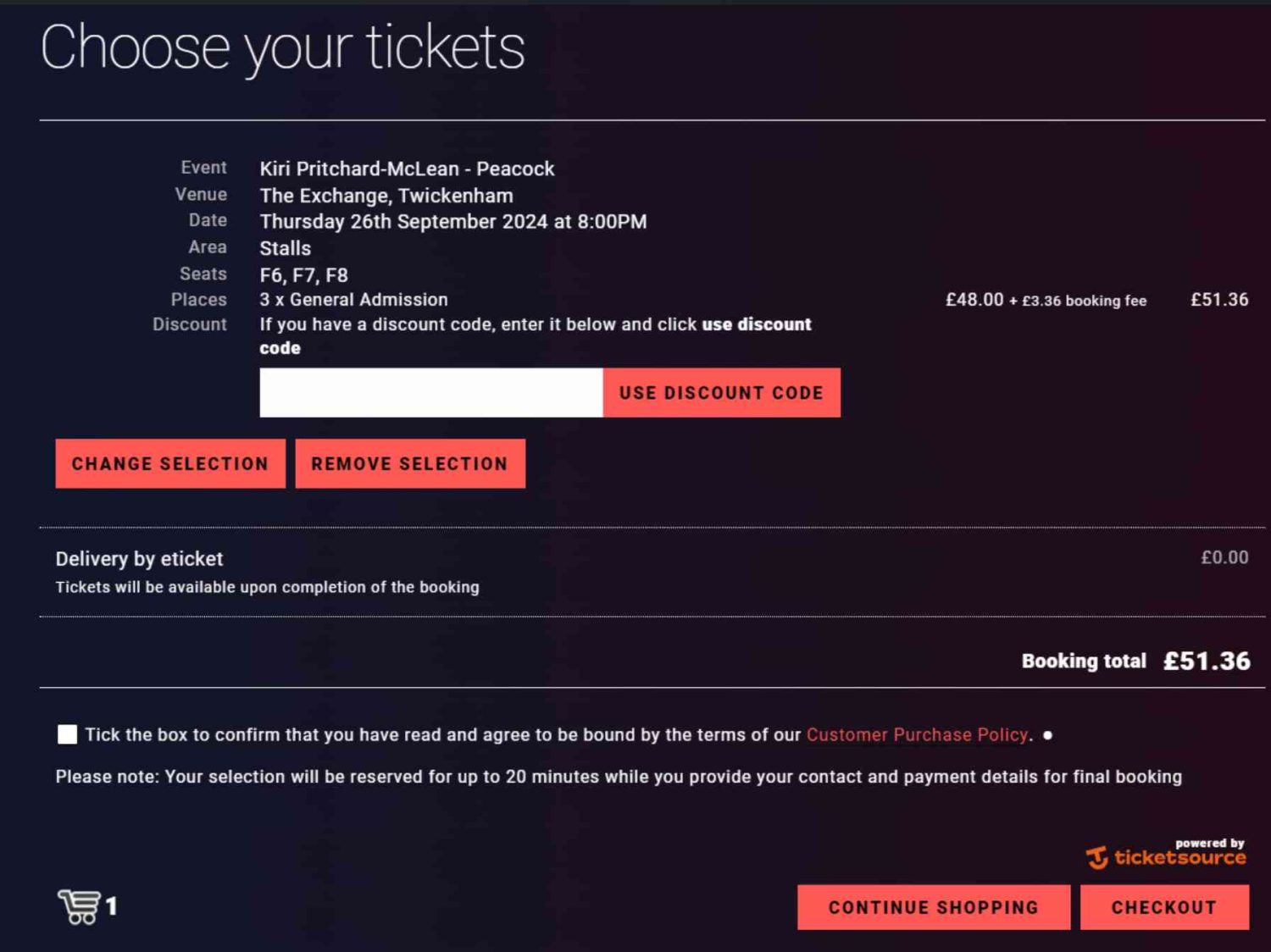
Click Continue Shopping to add another performance to your basket. Repeat the steps to select a date, time, and seats.
Step 8: Review Terms & Conditions
Tick the box to confirm you’ve read and agree to our Customer Purchase Policy. You must do this to proceed to checkout.
Step 9: Checkout
Provide your contact details (phone number and email) so we can reach you regarding your booking. You can also opt-in to receive our seasonal programs and updates. You may unsubscribe anytime.
If you enter the wrong details contact the box office at 020 8240 2399 (Mon-Thurs, 10am-5pm) and our team will do our best to correct the situation.
Step 10: Payment
Enter your card details (Visa, Debit, American Express, Diners Club, Union Pay). Unfortunately, we do not accept PayPal, Klarna, or digital currencies at this time.
Once payment is complete, you will receive an email from Ticketsource with your tickets and receipt.